

Installing an LED backlight can significantly enhance the visual appeal and functionality of various devices, from TVs and monitors to signage and decorative displays. As a trusted LED backlight supplier, we understand the importance of a seamless installation process. In this guide, we'll walk you through the steps of installing an LED backlight, whether you're a DIY enthusiast or a professional installer.
Understanding LED Backlights
Before we dive into the installation process, let's briefly understand what LED backlights are and their benefits. LED backlights are lighting systems that are placed behind a display surface to illuminate it evenly. They offer several advantages over traditional lighting sources, including energy efficiency, longer lifespan, better color accuracy, and lower heat generation.

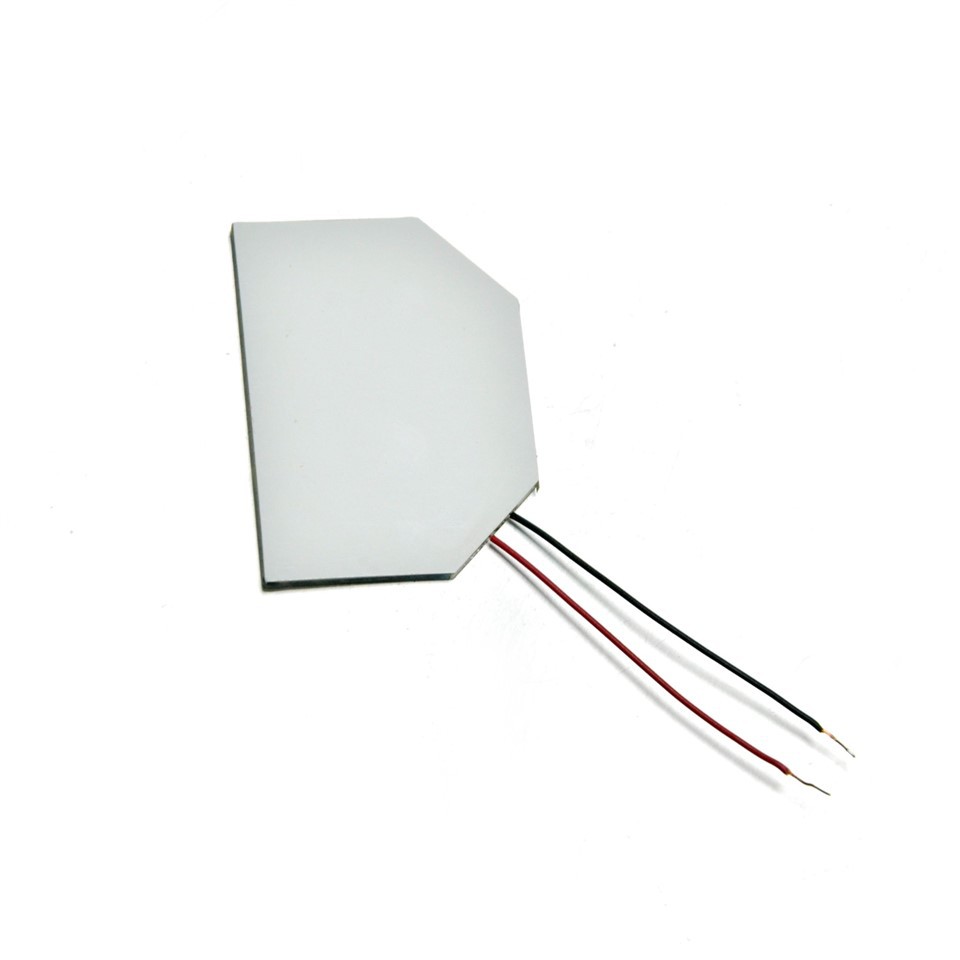
There are different types of LED backlights available in the market, each suited for specific applications. For instance, the Multicolor LED Backlight is perfect for creating dynamic and eye - catching displays, allowing you to switch between different colors. The LGP Panel LED Backlight is commonly used in flat - panel displays, providing uniform illumination. And the LED Signs LED Backlight is designed to make signs stand out day and night.
Tools and Materials Needed
To install an LED backlight, you'll need the following tools and materials:
- LED Backlight Kit: This includes the LED strips, power supply, and any necessary connectors. Make sure to choose a kit that is compatible with your device and meets your lighting requirements.
- Measuring Tape: To measure the dimensions of the area where the backlight will be installed.
- Scissors or Wire Cutters: For cutting the LED strips to the appropriate length.
- Adhesive Tape or Mounting Brackets: To secure the LED strips in place.
- Screwdriver: If your device requires screws for mounting the backlight components.
- Electrical Tape: To insulate any exposed wires and prevent short - circuits.
Step - by - Step Installation Guide
Step 1: Prepare the Work Area
First, ensure that the device you're working on is turned off and unplugged from the power source. This will prevent any electrical accidents during the installation process. Clean the surface where the LED backlight will be installed to remove any dust, dirt, or debris. A clean surface will ensure better adhesion of the LED strips.
Step 2: Measure and Plan
Use a measuring tape to determine the length and width of the area where you want to install the LED backlight. Based on these measurements, cut the LED strips to the appropriate length. Most LED strips have cutting marks at regular intervals, making it easy to cut them without damaging the LEDs.
Plan the layout of the LED strips. Decide whether you want to install them along the edges of the device, in a grid pattern, or in a custom design. Consider the power supply location and make sure that the strips can be easily connected to it.
Step 3: Mount the LED Strips
If your LED strips come with adhesive backing, simply peel off the protective film and stick them to the prepared surface. Press firmly to ensure good adhesion. If the surface is not suitable for adhesive, you can use mounting brackets or clips to secure the strips.
When mounting the strips, make sure they are straight and evenly spaced. Avoid bending or twisting the strips too much, as this can damage the LEDs.
Step 4: Connect the Power Supply
Locate the power supply that came with your LED backlight kit. Connect the LED strips to the power supply using the provided connectors. Follow the wiring diagram in the kit instructions carefully to ensure correct connections.
Once the connections are made, use electrical tape to insulate any exposed wires. This will prevent short - circuits and ensure the safety of the installation.
Step 5: Test the Backlight
Before fully securing the LED backlight and closing the device, plug in the power supply and turn on the device. Check if the LED backlight is working properly. Look for any dim or non - functioning LEDs, and make sure the lighting is uniform.
If you encounter any issues, double - check the connections and the power supply. If the problem persists, refer to the troubleshooting section of the kit instructions or contact our technical support team.
Step 6: Finalize the Installation
If the LED backlight is working correctly, secure any loose wires or components. If your device has a cover or housing, carefully put it back in place. Make sure all screws are tightened properly.
Troubleshooting Common Issues
- LEDs Not Lighting Up: Check the power supply to ensure it is properly connected and functioning. Also, check the connections between the LED strips and the power supply. Make sure there are no loose or damaged wires.
- Uneven Lighting: This could be due to improper installation of the LED strips. Check if the strips are evenly spaced and straight. You may need to adjust their position or add more strips in areas with low light.
- Overheating: If the LED backlight is getting too hot, it could be a sign of a problem with the power supply or overloading. Make sure the power supply is rated for the correct voltage and current, and that you are not connecting too many LED strips to it.
Why Choose Our LED Backlights
As a leading LED backlight supplier, we offer high - quality products that are designed to meet the diverse needs of our customers. Our LED backlights are manufactured using the latest technology and the best materials, ensuring long - lasting performance and reliability.
We provide a wide range of LED backlight options, including the Multicolor LED Backlight, LGP Panel LED Backlight, and LED Signs LED Backlight. Our products are backed by excellent customer service and technical support, ensuring that you have a smooth experience from purchase to installation.
Contact Us for Your LED Backlight Needs
If you're interested in purchasing LED backlights for your project, we'd love to hear from you. Whether you're a small business looking to enhance your signage or a consumer wanting to upgrade your TV, we have the right solution for you. Contact us to discuss your requirements, get a quote, and start your LED backlight installation project today.
References
- "LED Lighting Handbook" by John Doe
- "Illumination Engineering: Design with LEDs" by Jane Smith