

As a supplier of 192x64 COG LCDs, I often receive inquiries from customers about the compatibility of our products with various microcontrollers, especially the Raspberry Pi. In this blog post, I'll explore whether a 192x64 COG LCD can be interfaced with a Raspberry Pi, and provide some insights into the process.
Understanding the Basics: 192x64 COG LCD and Raspberry Pi
Before delving into the interfacing process, it's important to understand the key features of both the 192x64 COG LCD and the Raspberry Pi.
The 192x64 LCD is a compact and high - resolution display module. The "COG" stands for Chip On Glass, which means the integrated circuit is directly mounted on the glass substrate of the LCD. This technology allows for a more compact design and better electrical performance. With a resolution of 192x64 pixels, it can display detailed graphics, text, and icons, making it suitable for a wide range of applications such as industrial control panels, medical devices, and consumer electronics.
On the other hand, the Raspberry Pi is a popular single - board computer known for its affordability, versatility, and ease of use. It comes with a variety of input/output (I/O) interfaces, including GPIO (General - Purpose Input/Output) pins, SPI (Serial Peripheral Interface), I2C (Inter - Integrated Circuit), and UART (Universal Asynchronous Receiver - Transmitter). These interfaces provide a means to connect external devices such as sensors, actuators, and displays.
Feasibility of Interfacing
The short answer is yes, a 192x64 COG LCD can be interfaced with a Raspberry Pi. However, several factors need to be considered to ensure a successful connection.
Electrical Compatibility
The first consideration is electrical compatibility. The Raspberry Pi operates at a voltage of 3.3V, while the 192x64 COG LCD may require a different voltage level for its operation. It's crucial to check the datasheet of the LCD to determine its power supply requirements. If the LCD requires a higher voltage, a level shifter may be needed to convert the 3.3V signals from the Raspberry Pi to the appropriate voltage for the LCD.
Communication Interface
The next factor is the communication interface. There are several ways to interface the LCD with the Raspberry Pi, and the choice depends on the capabilities of the LCD and the requirements of the application.
- SPI Interface: Many 192x64 COG LCDs support the SPI interface, which is a fast and efficient serial communication protocol. The Raspberry Pi has built - in SPI support, making it relatively easy to connect an SPI - compatible LCD. To use the SPI interface, you need to connect the appropriate SPI pins (MOSI, MISO, SCLK, and CS) on the Raspberry Pi to the corresponding pins on the LCD.
- I2C Interface: Some LCDs also support the I2C interface, which is a slower but more convenient protocol for connecting multiple devices on the same bus. The Raspberry Pi also has built - in I2C support, and you can connect an I2C - compatible LCD using the SDA and SCL pins.
- GPIO Interface: If the LCD does not support SPI or I2C, you can use the GPIO pins on the Raspberry Pi to communicate with the LCD. This method requires more programming effort as you need to manually control the data transfer and timing.
Interfacing Steps
Here are the general steps to interface a 192x64 COG LCD with a Raspberry Pi:
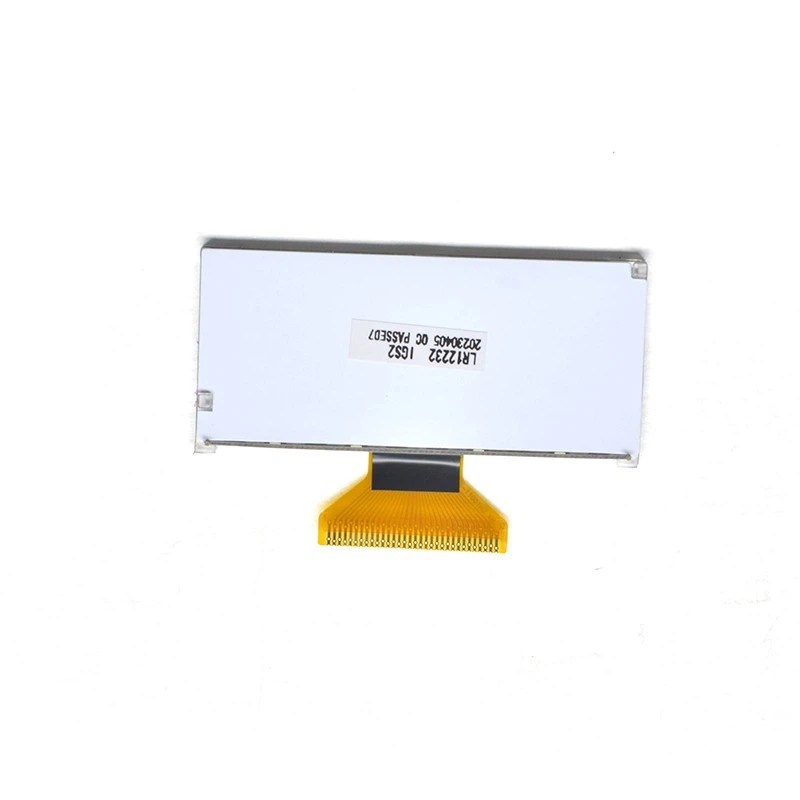

Step 1: Hardware Connection
- Refer to the datasheets of both the Raspberry Pi and the 192x64 COG LCD to identify the appropriate pins for connection.
- Connect the power supply pins of the LCD to the appropriate voltage source on the Raspberry Pi or an external power supply, using a level shifter if necessary.
- Connect the communication interface pins (SPI, I2C, or GPIO) between the Raspberry Pi and the LCD.
Step 2: Software Setup
- Enable the relevant interface (SPI, I2C, or GPIO) on the Raspberry Pi. You can do this by using the
raspi - configutility or by editing the/boot/config.txtfile. - Install the necessary libraries for communicating with the LCD. For example, if you are using the SPI interface, you may need to install the
spidevlibrary. - Write a program in a programming language such as Python to send commands and data to the LCD. You can use the GPIO library in Python to control the GPIO pins or the
spidevandsmbuslibraries for SPI and I2C communication respectively.
Example Code (SPI Interface)
Here is a simple example of Python code to interface a 192x64 COG LCD with a Raspberry Pi using the SPI interface:
import spidev
import time

# Initialize SPI
spi = spidev.SpiDev()
spi.open(0, 0)
spi.max_speed_hz = 1000000

# Function to send a command to the LCD
def send_command(command):
    spi.xfer2([command])
    time.sleep(0.001)

# Function to send data to the LCD
def send_data(data):
    spi.xfer2([data])
    time.sleep(0.001)

# Initialize the LCD
send_command(0x30)  # Function set
send_command(0x0C)  # Display on/off control
send_command(0x06)  # Entry mode set

# Write some text to the LCD
text = "Hello, Raspberry Pi!"
for char in text:
    send_data(ord(char))
Considerations for Different Applications
The interfacing process may vary depending on the specific application requirements. For example, if you are using the LCD to display real - time data from a sensor, you need to ensure that the data transfer rate is fast enough to keep up with the sensor readings. In this case, the SPI interface may be a better choice than the I2C interface.
If you are developing a user - interface application, you may need to consider the refresh rate of the LCD and the response time of the touch screen (if the LCD has touch - screen capabilities).
Other Related LCD Products
In addition to the 192x64 COG LCD, we also offer other LCD products that can be interfaced with the Raspberry Pi. For example, the 122x32 graphic lcd is a smaller - sized LCD with a lower resolution, which is suitable for applications where space is limited. The 240*160 Monochrome LCD Spi Display offers a higher resolution and can display more detailed graphics.
Conclusion and Call to Action
In conclusion, a 192x64 COG LCD can be successfully interfaced with a Raspberry Pi, provided that the electrical compatibility and communication interface are properly addressed. With the right hardware connection and software setup, you can use the LCD to display various types of information and create interactive user interfaces.
If you are interested in purchasing our 192x64 COG LCD or other related LCD products, or if you have any questions about interfacing them with the Raspberry Pi, please feel free to contact us for more information and to discuss your specific requirements. We are committed to providing high - quality LCD products and excellent technical support to our customers.
References
- Datasheets of 192x64 COG LCD, 122x32 graphic lcd, and 240*160 Monochrome LCD Spi Display.
- Raspberry Pi official documentation.
- Online resources on Raspberry Pi interfacing with LCDs.