

Integrating an LED backlight into a smart home system can transform the ambiance and functionality of your living space. As an LED backlight supplier, I've seen firsthand how these lighting solutions can take a smart home from ordinary to extraordinary. In this blog post, I'll share some tips on how to seamlessly integrate LED backlights into your smart home setup.
Understanding LED Backlights for Smart Homes
Before we dive into the integration process, let's quickly go over what LED backlights are and why they're a great addition to a smart home. LED backlights are strips or panels of light - emitting diodes that can be used to illuminate objects from behind. They come in various colors, brightness levels, and sizes, making them incredibly versatile.
There are several types of LED backlights that are popular for smart home use. For instance, the LGP Panel LED Backlight offers a uniform and bright light source, perfect for illuminating cabinets or shelves. The LED Signs LED Backlight can add a cool, modern look to your smart home, whether you're using it for decorative signs or highlighting specific areas. And if you want to get creative with colors, the Multicolor LED Backlight allows you to change the color of the light to suit your mood or the occasion.
Compatibility with Smart Home Systems
One of the first things you need to consider is the compatibility of your LED backlights with your existing smart home system. Most modern LED backlights are designed to work with popular smart home platforms like Amazon Alexa, Google Assistant, and Apple HomeKit.
To ensure compatibility, look for LED backlights that are labeled as "smart - enabled." These backlights usually come with a built - in Wi - Fi or Bluetooth module that can connect to your smartphone or smart home hub. Once connected, you can control the backlights using voice commands or a mobile app.
For example, if you have an Amazon Alexa - enabled smart home, you can simply say, "Alexa, turn on the kitchen backlight" or "Alexa, set the living room backlight to purple." This level of control makes it easy to create different lighting scenes and adjust the brightness and color of the backlights effortlessly.
Planning the Installation
Proper planning is key to a successful integration. Start by deciding where you want to install the LED backlights. Common areas in a smart home to install backlights include under kitchen cabinets, behind televisions, along staircases, and around mirrors.
Measure the area where you'll be installing the backlights to determine how much length or how many panels you'll need. Make sure to leave some extra length for any bends or corners. Also, consider the power requirements of the backlights. If you're installing a large number of backlights, you may need to use a higher - wattage power supply.
It's also a good idea to create a wiring plan. LED backlights typically come with adhesive backing, which makes them easy to attach to surfaces. However, you'll need to run the power cable to a power source. If possible, try to hide the cables to keep your smart home looking clean and uncluttered.
Installation Process
Once you've planned everything out, it's time to start the installation. First, clean the surface where you'll be attaching the backlights to ensure a good adhesion. Peel off the adhesive backing on the backlight strip or panel and carefully stick it to the surface. Make sure it's straight and centered.

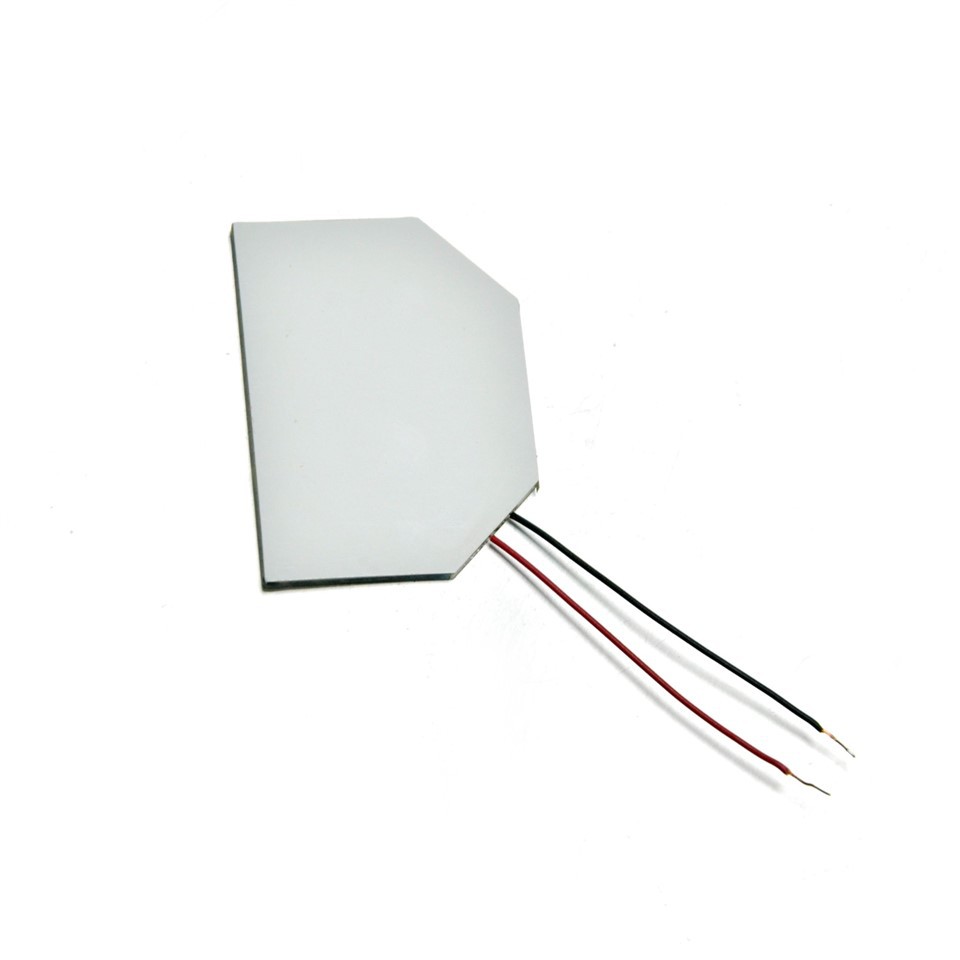
Next, connect the backlight to the power supply. Most LED backlights come with a connector that plugs into the power adapter. Be careful not to short - circuit the wires. If you're not comfortable working with electrical connections, it's a good idea to hire a professional electrician.
After connecting the power, it's time to pair the backlight with your smart home system. Follow the instructions provided by the backlight manufacturer to connect it to your smartphone or smart home hub. This usually involves downloading the corresponding app, entering your Wi - Fi password, and following the on - screen prompts.
Creating Lighting Scenes
One of the coolest features of integrating LED backlights into a smart home system is the ability to create custom lighting scenes. You can use the mobile app or voice commands to set different combinations of brightness, color, and even lighting effects.
For example, you can create a "Movie Night" scene where the backlights behind the TV dim to a soft blue color to enhance the viewing experience. Or, create a "Party" scene with bright, colorful backlights that flash and change colors to the beat of the music.
These lighting scenes can be triggered automatically based on the time of day, your location, or other factors. For instance, you can set the backlights in the living room to turn on at a warm, soft brightness when you arrive home in the evening.
Maintenance and Troubleshooting
Maintaining your LED backlights is relatively easy. Keep the backlights clean by wiping them with a soft, dry cloth. Avoid using harsh chemicals or abrasive materials.
If you encounter any problems with the backlights, such as flickering, dimming, or not connecting to the smart home system, first check the power connection. Make sure the power adapter is properly plugged in and that there are no loose wires.
If the issue persists, try resetting the backlight and reconnecting it to your smart home system. If all else fails, contact the manufacturer's customer support for further assistance.
Why Choose Our LED Backlights
As a trusted LED backlight supplier, we offer high - quality products that are designed to work seamlessly with your smart home system. Our backlights are energy - efficient, long - lasting, and come with a wide range of features.
We have a team of experts who can help you choose the right LED backlights for your specific needs and provide support throughout the installation process. Whether you're a DIY enthusiast or a professional contractor, we've got you covered.
Let's Talk!
If you're interested in integrating LED backlights into your smart home system, I'd love to hear from you. We can discuss your project requirements, answer any questions you may have, and provide you with a quote. Contact us to start the conversation and take your smart home lighting to the next level.
References
- "Smart Home Lighting: A Comprehensive Guide." Home Lighting Magazine, 2023.
- LED Backlight Technology Handbook. LED Institute, 2022.