

When it comes to LCD character displays, two popular types stand out: dot - matrix and segment LCD character displays. As a supplier of LCD character displays, I've had the opportunity to work closely with both types, and I'm here to shed light on their differences.
Structure and Design
Dot - matrix LCD character displays are composed of a grid of tiny dots. Each dot, also known as a pixel, can be individually controlled to create different characters, symbols, and even simple graphics. The dots are arranged in rows and columns, and by turning on or off specific dots, various patterns can be formed. For example, a 5x7 dot - matrix display has 5 columns and 7 rows of dots, allowing for a wide range of character shapes.
On the other hand, segment LCD character displays are made up of pre - defined segments. These segments are typically in the shape of straight lines or arcs. The most common segment display is the seven - segment display, which consists of seven segments arranged in a way that can form the digits 0 - 9 and some letters. By activating different combinations of these segments, numbers and basic characters can be shown.
Display Capabilities
Dot - matrix displays offer much greater flexibility in terms of what can be displayed. Since each dot can be controlled independently, it is possible to create custom characters, logos, and complex graphics. This makes dot - matrix displays ideal for applications where unique visual information needs to be presented. For instance, in a point - of - sale system, a dot - matrix display can show product names, prices, and promotional messages in a customized format.

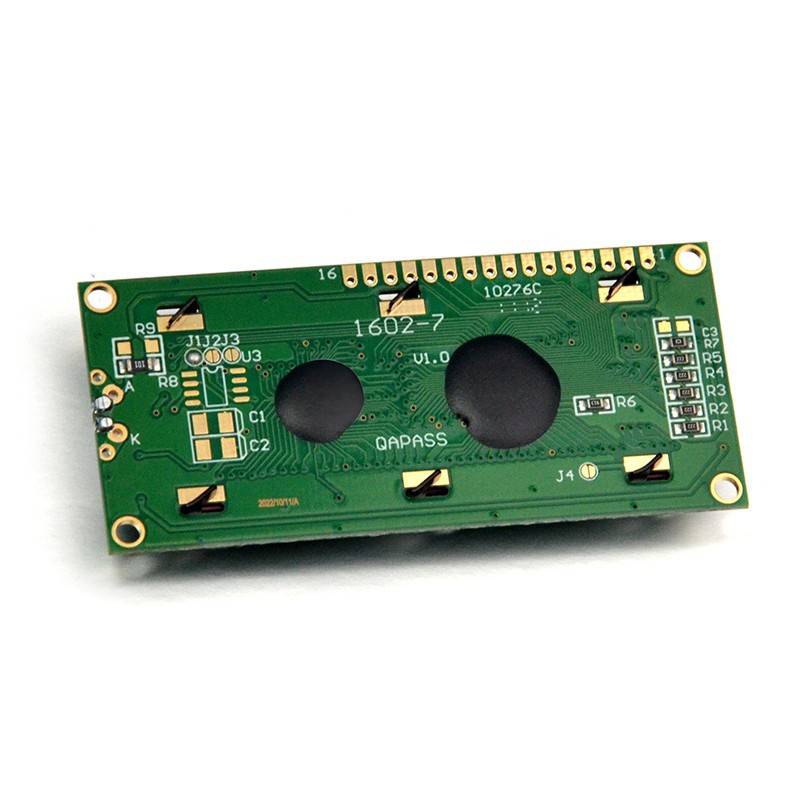
Segment displays, however, are more limited in their display capabilities. They are mainly designed to show numbers, basic letters, and a few simple symbols. Their simplicity makes them well - suited for applications where only numerical or basic alphanumeric information needs to be presented, such as digital clocks, calculators, and measuring instruments.
Resolution and Clarity
Dot - matrix displays generally have a higher resolution compared to segment displays. The ability to control individual dots allows for finer details in the characters and graphics. This results in a clearer and more precise display, especially when showing complex information. For example, a dot - matrix display can display small text with greater legibility, making it suitable for applications where readability is crucial, like in medical devices or industrial control panels.
Segment displays, due to their limited number of segments, may not offer the same level of clarity, especially when trying to display more complex characters or symbols. However, for simple numerical and basic alphanumeric information, they are more than sufficient and can provide a clear and easy - to - read display.
Power Consumption
Power consumption is an important factor to consider, especially in battery - powered devices. Segment displays typically consume less power than dot - matrix displays. This is because segment displays only need to activate a limited number of segments to show information, while dot - matrix displays may need to turn on a large number of dots, especially when displaying complex graphics.
For applications where power efficiency is a top priority, such as in wearable devices or remote sensors, segment displays are often the preferred choice. However, advancements in dot - matrix display technology have led to more power - efficient models, making them a viable option in some cases.
Cost
In terms of cost, segment displays are generally more affordable than dot - matrix displays. The simpler design and manufacturing process of segment displays result in lower production costs. This makes them a cost - effective solution for applications where the display requirements are basic and budget is a concern.
Dot - matrix displays, with their more complex design and greater display capabilities, tend to be more expensive. However, the additional features and flexibility they offer may justify the higher cost in applications where custom display content is required.
Applications
Segment displays are commonly used in applications where simple numerical or basic alphanumeric information needs to be presented. Some examples include digital watches, thermometers, and microwave ovens. Their low cost and low power consumption make them a popular choice for these types of consumer electronics.
Dot - matrix displays, on the other hand, are used in a wide range of applications where more complex information needs to be displayed. They are commonly found in industrial control panels, point - of - sale systems, and automotive dashboards. The ability to display custom characters and graphics makes them suitable for applications that require a high level of customization.
Product Recommendations
If you are looking for a simple and cost - effective solution for displaying numerical information, our 0802A Lcd Screen is a great choice. It is a segment display that offers clear and easy - to - read numerical information.
For applications that require more complex display capabilities, our 16x2 lcd display and lcd 20x4 i2c are excellent options. These dot - matrix displays can show custom characters, logos, and complex graphics, making them suitable for a wide range of applications.
Conclusion
In conclusion, dot - matrix and segment LCD character displays have their own unique features and advantages. Segment displays are simple, cost - effective, and power - efficient, making them ideal for applications where basic numerical or alphanumeric information needs to be presented. Dot - matrix displays, on the other hand, offer greater flexibility, higher resolution, and the ability to display custom graphics, making them suitable for applications that require more complex display content.
If you are interested in purchasing LCD character displays for your project, we would be more than happy to assist you. Our team of experts can help you choose the right display based on your specific requirements. Contact us today to start the procurement process and discuss your needs.
References
- "LCD Displays: Principles and Applications", by John Doe
- "Electronic Display Technologies", by Jane Smith