

As a supplier of VA LCD displays, I understand the importance of keeping your display's drivers up - to - date. Updating the drivers for a VA LCD display can enhance its performance, improve image quality, and ensure compatibility with the latest software and hardware. In this blog, I'll guide you through the process of updating the drivers for a VA LCD display.
Why Update VA LCD Display Drivers?
Before we delve into the how - to, let's understand why updating the drivers is crucial. Drivers act as a bridge between the operating system and the hardware. Over time, manufacturers release driver updates to fix bugs, improve performance, and add new features.
For a VA LCD display, updated drivers can lead to better color accuracy, higher refresh rates, and reduced input lag. They can also resolve issues such as screen flickering, blurring, or incorrect display resolutions. Moreover, with the ever - evolving software landscape, having the latest drivers ensures that your VA LCD display can work seamlessly with new applications and operating systems.
Step 1: Identify Your VA LCD Display Model
The first step in updating the drivers is to identify the exact model of your VA LCD display. This information can usually be found on the back of the display or in the user manual. Look for a model number, which is a combination of letters and numbers unique to your device.
If you can't find the model number physically, you can also check it through your computer's device manager. On Windows, you can access the device manager by right - clicking on the Start button and selecting "Device Manager." Expand the "Display adapters" section, and you'll see the name of your VA LCD display.
Step 2: Check the Manufacturer's Website
Once you have the model number, visit the manufacturer's official website. Most VA LCD display manufacturers provide driver downloads on their websites. Navigate to the support or downloads section of the website.
On the downloads page, you'll typically find a search bar. Enter your VA LCD display model number in the search bar. The website should then display the available driver updates for your specific model. Make sure to download the driver that is compatible with your operating system (e.g., Windows 10, Windows 11, macOS).
Step 3: Download the Driver
After finding the appropriate driver, click on the download link. The download may take some time depending on your internet speed. It's important to save the downloaded file in a location where you can easily find it, such as your desktop or a dedicated downloads folder.
Step 4: Prepare Your System
Before installing the new driver, it's a good idea to back up any important data on your computer. Although driver installation is generally safe, there is always a small risk of something going wrong. You can use an external hard drive or a cloud - based storage service to back up your files.
It's also recommended to close all running applications. This ensures that the driver installation process is not interrupted by other programs.
Step 5: Install the Driver
Once the download is complete, locate the downloaded driver file. Double - click on the file to start the installation process. Follow the on - screen instructions provided by the installer.
In most cases, the installer will prompt you to accept the license agreement, choose the installation location, and then begin the installation. The installation process may take a few minutes. During this time, your computer may restart to complete the installation.
Step 6: Verify the Installation
After the installation is complete, you can verify that the new driver is working properly. Go back to the device manager on your computer. Expand the "Display adapters" section and right - click on your VA LCD display. Select "Properties" and then go to the "Driver" tab. Here, you can see the driver version and other information.
You can also test the display by running some graphics - intensive applications or games. Check for any improvements in image quality, color accuracy, and overall performance.
Comparing VA LCD with Other LCD Types
While VA LCD displays offer many advantages, it's worth comparing them with other types of LCD displays such as TN LCD Panel and Reflective LCD Screen.
TN LCD panels are known for their fast response times, which make them a popular choice for gaming. However, they often have limited viewing angles and lower color accuracy compared to VA LCD displays. Reflective LCD screens, on the other hand, are designed to be visible in bright sunlight and are commonly used in outdoor devices. But they may not offer the same level of contrast and color depth as VA LCDs.
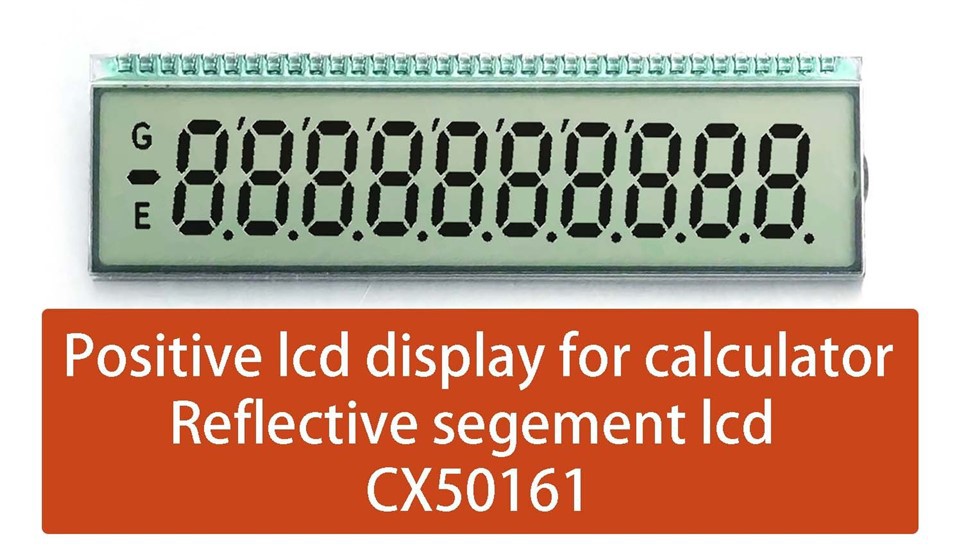
Another related product is the Segment LCD VA. Segment LCD VA displays are often used in applications where simple numerical or text information needs to be displayed, such as in calculators and digital clocks.

Troubleshooting
If you encounter any issues during the driver update process, here are some common solutions:
- Driver Installation Failed: This could be due to a corrupted download file. Try downloading the driver again from the manufacturer's website.
- Display Issues After Installation: If you experience problems such as screen flickering or incorrect resolution, try rolling back to the previous driver version. You can do this through the device manager by right - clicking on the display adapter, selecting "Properties," and then going to the "Driver" tab and clicking "Roll Back Driver."
- Compatibility Issues: Make sure that the driver you downloaded is compatible with your operating system. If you're using an older operating system, check if the manufacturer provides legacy drivers.
Conclusion
Updating the drivers for your VA LCD display is a relatively straightforward process that can significantly enhance its performance. By following the steps outlined in this blog, you can ensure that your display is running at its best.
As a VA LCD display supplier, we are committed to providing high - quality products and support. If you are interested in purchasing VA LCD displays or have any questions about driver updates, feel free to reach out to us for a detailed discussion. We can offer customized solutions based on your specific requirements.
References
- Manufacturer's user manuals for VA LCD displays
- Online resources and forums related to LCD display technology