

Hey there! As a supplier of 0802 LCD displays, I often get asked if these nifty little screens are compatible with Android devices. It's a great question, and today, I'm gonna dive deep into this topic to give you all the info you need.
How 0802 LCD Displays Work
First off, let's talk a bit about what an 0802 LCD display is. The "0802" indicates that it has 8 characters per line and 2 lines in total. These displays are super popular in all sorts of projects because they're relatively simple to use and can show essential text messages.
The basic mechanism of an 0802 LCD display involves using liquid crystals that can be manipulated to either block or allow light to pass through, creating the visible characters on the screen. They typically communicate via either a parallel or an I2C interface. Parallel interfaces use multiple data lines to send data quickly, while I2C interfaces are more compact, using only two lines for data transfer and clock signals.
Android Devices and Their Connectivity
Android devices are everywhere these days, from smartphones and tablets to smart TVs and even some embedded systems. They come with a wide range of connectivity options like Wi - Fi, Bluetooth, USB, and more. But when it comes to connecting an 0802 LCD display, we're mainly interested in the GPIO (General - Purpose Input/Output) pins, USB, and I2C interfaces.
Most Android devices don't expose their GPIO pins directly to users, especially consumer - grade smartphones and tablets. However, some Android development boards, like the Raspberry Pi with an Android - based OS or the BeagleBone, do have GPIO pins that you can play around with. These pins can be used to interface with the 0802 LCD display, especially if it uses a parallel interface.
On the other hand, the I2C interface is more common and easier to work with. Many Android devices support I2C communication through their system buses. If your 0802 LCD display has an I2C module, it can potentially be connected to an Android device with I2C support.
Compatibility Factors
Now, let's get into the nitty - gritty of compatibility. There are a few key factors to consider when trying to connect an 0802 LCD display to an Android device.
Power Requirements
The 0802 LCD display usually operates at 5V, while most Android devices use 3.3V or even lower voltages for their internal components. This voltage difference can be a problem. You might need a level shifter to convert the voltage from the Android device to the appropriate level for the LCD display. Otherwise, you could damage either the display or the Android device.
Software Support
Even if you manage to connect the hardware properly, you need software to make the display work. Android doesn't have built - in drivers for 0802 LCD displays. You'll need to write your own code or use existing open - source libraries. For Android development boards, there are often programming languages like Python, Java, or C++ that you can use to communicate with the display. You'll have to send commands to the display to initialize it, set the cursor position, and display text.
Physical Connection
The physical connection between the 0802 LCD display and the Android device is crucial. If you're using a parallel interface, you need to connect multiple data and control lines correctly. This can be a bit tricky, especially if you're not familiar with electronics. With the I2C interface, the connection is simpler, but you still need to make sure the address of the I2C module on the display is set correctly and that the Android device can communicate with it.
Real - World Examples
Let's look at some real - world examples of using an 0802 LCD display with Android devices.

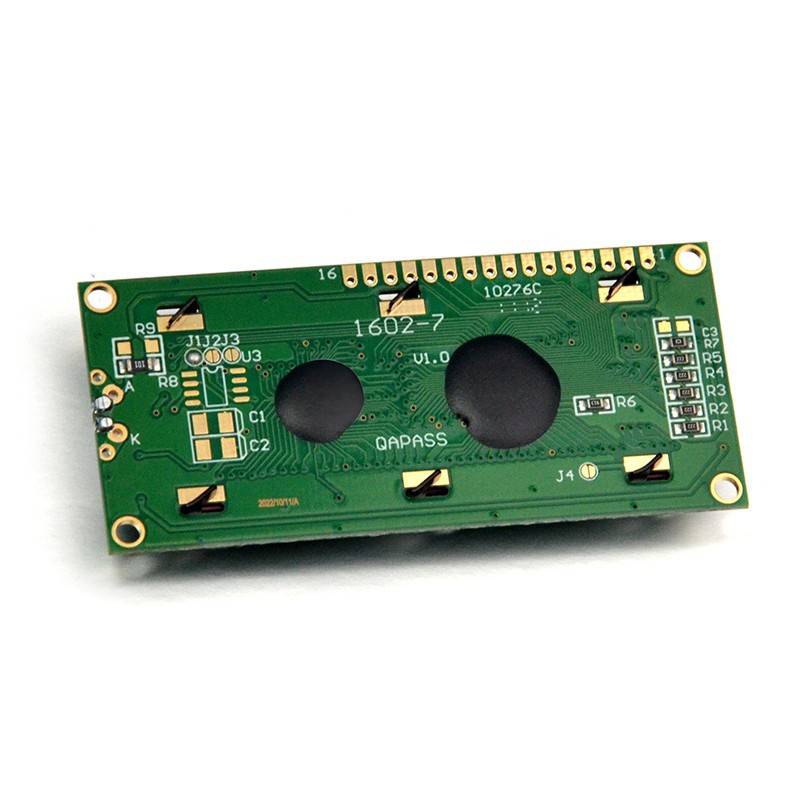
If you have an Android development board like the Raspberry Pi running Android Things (although Android Things is no longer actively developed, it still serves as a good example), you can connect an 0802 LCD display with an I2C module. You can write a simple Python script to send text to the display. For example, here's a basic Python code snippet to display a "Hello, World!" message on the 0802 LCD display:
import smbus
from time import sleep

bus = smbus.SMBus(1)
address = 0x27

def lcd_init():
    lcd_byte(0x33, LCD_CMD)
    lcd_byte(0x32, LCD_CMD)
    lcd_byte(0x06, LCD_CMD)
    lcd_byte(0x0C, LCD_CMD)
    lcd_byte(0x28, LCD_CMD)
    lcd_byte(0x01, LCD_CMD)
    sleep(0.0005)

def lcd_byte(bits, mode):
    bits_high = mode | (bits & 0xF0) | LCD_BACKLIGHT
    bits_low = mode | ((bits<<4) & 0xF0) | LCD_BACKLIGHT
    bus.write_byte(address, bits_high)
    lcd_toggle_enable(bits_high)
    bus.write_byte(address, bits_low)
    lcd_toggle_enable(bits_low)

def lcd_toggle_enable(bits):
    sleep(0.0005)
    bus.write_byte(address, (bits | ENABLE))
    sleep(0.0005)
    bus.write_byte(address,(bits & ~ENABLE))
    sleep(0.0005)

def lcd_string(message, line):
    if line == 1:
        lcd_byte(0x80, LCD_CMD)
    elif line == 2:
        lcd_byte(0xC0, LCD_CMD)
    for i in range(len(message)):
        lcd_byte(ord(message[i]), LCD_CHR)

LCD_CHR = 1
LCD_CMD = 0
LCD_BACKLIGHT = 0x08
ENABLE = 0b00000100

lcd_init()
lcd_string("Hello, World!", 1)
This code initializes the I2C connection, configures the display, and then writes the "Hello, World!" message on the first line of the 0802 LCD display.
Comparing with Other LCD Displays
It's also interesting to compare the 0802 LCD display with other common LCD displays like the 20x4 LCD Display, 0802A Lcd Screen, and 16x2 lcd display.
The 20x4 LCD display offers more characters per line (20) and more lines (4), allowing it to show more information at once. However, it might be a bit more complex to interface with an Android device due to the larger number of characters it can handle.
The 0802A Lcd Screen is very similar to the standard 0802 LCD display, but it might have some minor differences in terms of features or performance.
The 16x2 lcd display has 16 characters per line and 2 lines, which is in between the 0802 and the 20x4 displays. It's also a popular choice for projects and has similar compatibility issues with Android devices.
Conclusion
So, is the 0802 LCD display compatible with Android devices? The answer is yes, but with some limitations. If you have an Android development board with GPIO or I2C support, and you're willing to deal with the voltage conversion, software programming, and physical connection issues, you can definitely connect an 0802 LCD display to an Android device.
If you're interested in purchasing 0802 LCD displays for your projects, whether it's for Android device compatibility or other applications, feel free to reach out to start a procurement discussion. We're here to help you find the right solution for your needs.
References
- Arduino Official Documentation
- Android Open - Source Project Documentation
- Raspberry Pi Foundation Documentation