

As a provider of 7 segment LCDs, I often receive inquiries about how to connect these displays to a BeagleBone Black. In this blog post, I'll guide you through the process step by step, ensuring that you can successfully integrate a 7 segment LCD with your BeagleBone Black for your projects.
Understanding the Basics
Before we dive into the connection process, it's essential to understand what a 7 segment LCD and a BeagleBone Black are. A 7 segment LCD is a simple display device that consists of seven segments arranged in a specific pattern to display numbers and some basic characters. Each segment can be turned on or off independently to form different digits and symbols.
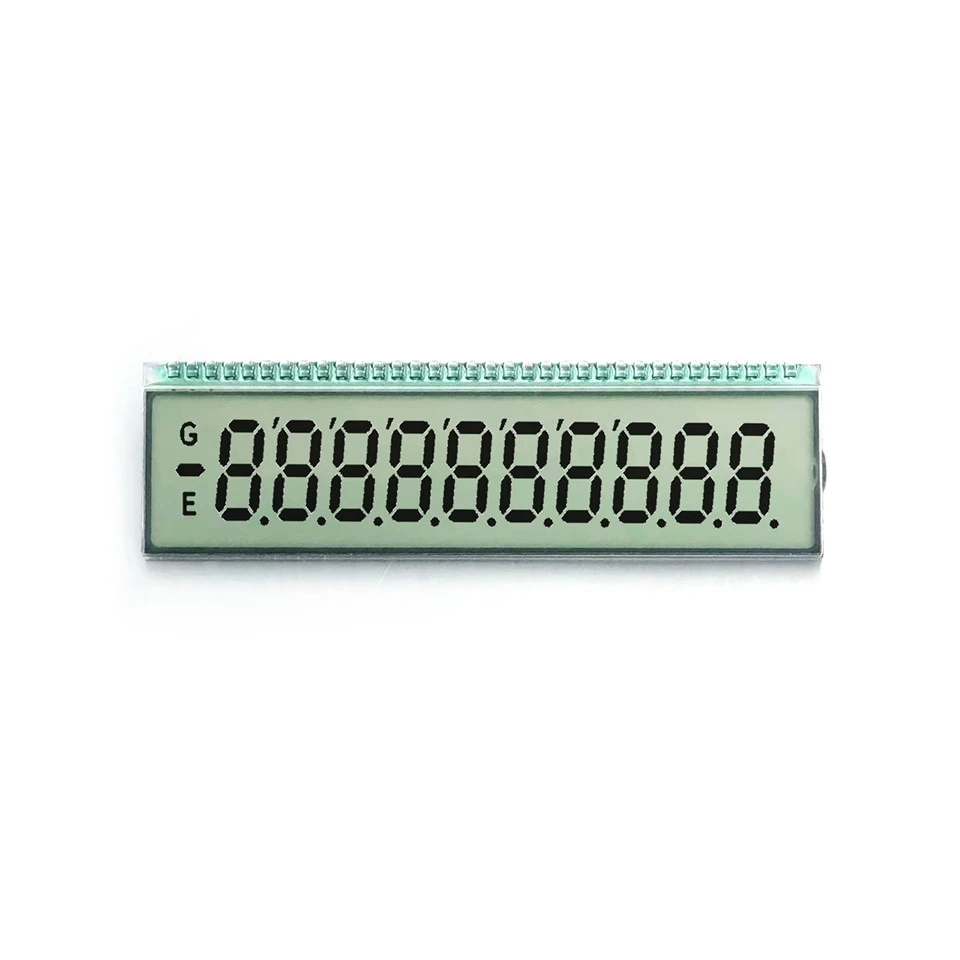

The BeagleBone Black, on the other hand, is a powerful single - board computer that provides a wide range of input and output pins, making it suitable for various electronics projects. It runs on a Linux operating system, which allows for easy programming and customization.
Components Required
To connect a 7 segment LCD to a BeagleBone Black, you'll need the following components:
- 7 segment LCD: We offer a variety of 7 segment LCDs, including the Segment LCD VA and STN LCD Display. These displays come in different sizes and specifications to meet your specific needs.
- BeagleBone Black: This is the main computing device that will control the 7 segment LCD.
- Jumper wires: These are used to connect the LCD to the BeagleBone Black.
- Resistors: Depending on the LCD, you may need resistors to limit the current flowing through the segments.
Pinout of the 7 Segment LCD
Most 7 segment LCDs have a standard pinout. The pins typically include the following:
- Segments (a - g): These pins control each of the seven segments of the display. When a high voltage is applied to a segment pin, that segment lights up.
- Decimal point (dp): This pin controls the decimal point on the display.
- Common pin: There are two types of 7 segment LCDs based on the common pin: common cathode and common anode. In a common cathode LCD, the common pin is connected to ground, and a high voltage is applied to the segment pins to turn them on. In a common anode LCD, the common pin is connected to a positive voltage, and a low voltage is applied to the segment pins to turn them on.
Connecting the 7 Segment LCD to the BeagleBone Black
The following steps will guide you through the connection process:
Step 1: Identify the Pins
First, identify the pins on the 7 segment LCD and the BeagleBone Black. Refer to the datasheets of both components for the exact pin locations.
Step 2: Connect the Common Pin
If you are using a common cathode LCD, connect the common pin to the ground (GND) pin on the BeagleBone Black. If you are using a common anode LCD, connect the common pin to a positive voltage source (e.g., 5V).
Step 3: Connect the Segment Pins
Connect each of the segment pins (a - g and dp) to a GPIO (General Purpose Input/Output) pin on the BeagleBone Black. You can choose any available GPIO pin, but make a note of which pin is connected to which segment for programming purposes.
Step 4: Add Resistors
To protect the LCD and the BeagleBone Black, it's recommended to add resistors in series with each segment pin. A typical value for these resistors is around 220 - 330 ohms. Connect one end of the resistor to the GPIO pin and the other end to the corresponding segment pin on the LCD.
Programming the BeagleBone Black
Once the hardware is connected, you need to write a program to control the 7 segment LCD. You can use Python, which is a popular programming language for the BeagleBone Black.
Here is a simple Python code example to display the number "8" on a common cathode 7 segment LCD:
import Adafruit_BBIO.GPIO as GPIO
import time

# Define the GPIO pins connected to the segments
segments = ['P8_11', 'P8_12', 'P8_13', 'P8_14', 'P8_15', 'P8_16', 'P8_17']

# Set up the GPIO pins as outputs
for segment in segments:
    GPIO.setup(segment, GPIO.OUT)

# Function to turn on all segments to display the number 8
def display_eight():
    for segment in segments:
        GPIO.output(segment, GPIO.HIGH)

try:
    while True:
        display_eight()
        time.sleep(1)

except KeyboardInterrupt:
    # Clean up the GPIO pins when the program is interrupted
    for segment in segments:
        GPIO.output(segment, GPIO.LOW)
    GPIO.cleanup()
Troubleshooting
If the 7 segment LCD is not working properly, here are some common issues and solutions:
- No display: Check the power connections and make sure the common pin is connected correctly. Also, check the resistor values and the GPIO pin settings in your program.
- Incorrect display: Double - check the pin connections and the programming logic. Make sure you are applying the correct voltage to the segment pins.
Different Types of 7 Segment LCDs
We also offer Reflective LCD Screen, which has different characteristics compared to the regular 7 segment LCDs. Reflective LCDs are visible in bright light conditions and are suitable for outdoor applications. The connection process for reflective LCDs is similar to the regular ones, but you may need to adjust the contrast and other settings according to the datasheet.
Conclusion
Connecting a 7 segment LCD to a BeagleBone Black is a relatively straightforward process that involves proper hardware connection and programming. With the right components and a bit of knowledge, you can create various projects, such as digital clocks, temperature displays, and more.
If you are interested in purchasing 7 segment LCDs for your projects, we are here to assist you. Our team of experts can provide you with detailed product information and technical support. Whether you need a standard 7 segment LCD or a specialized one like the Segment LCD VA, STN LCD Display, or Reflective LCD Screen, we have the right solution for you. Contact us for procurement and let's discuss how we can meet your specific requirements.
References
- BeagleBone Black official documentation
- Datasheets of 7 segment LCDs